.svg)

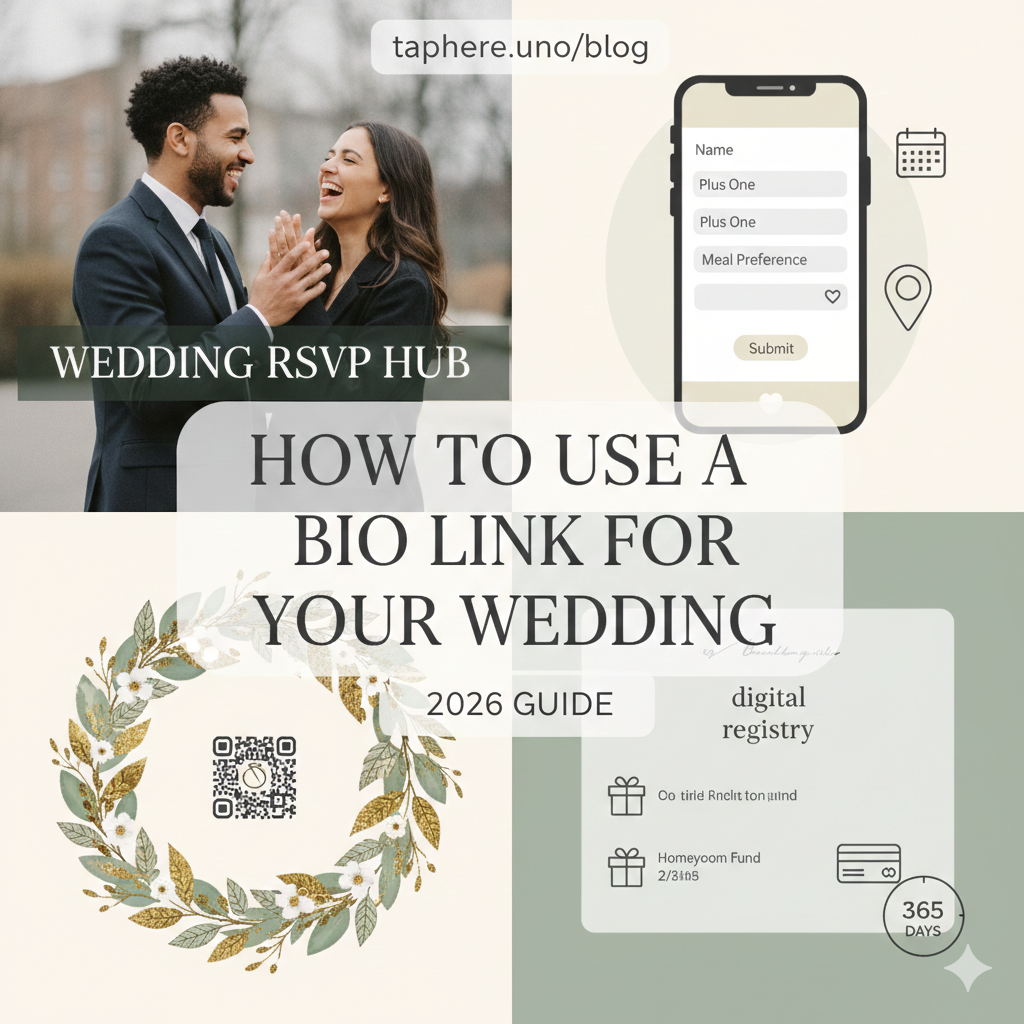
How to Use a Bio Link for Your Wedding RSVP: The 2026 Guide 💍
Planning a wedding in 2026 is about more than just picking flowers and a venue—it’s about guest experience. Traditional paper RSVP cards are charming, but let’s be honest: they get lost in the mail, require stamps, and take weeks to process.
Enter the Wedding Bio Link. By using taphere.uno, you can create a single, aesthetic destination for your guests to RSVP, find directions, and view your registry—all from their phones. Here is how to build the perfect wedding hub in under 2000 words. 🥂
Why Every 2026 Couple Needs a Bio Link 📲
In the past, couples had to build complex, 5-page websites that were hard to navigate on mobile. Today, the "Link in Bio" format is the preferred way to share information.
Eco-Friendly: Save hundreds of pieces of paper and envelopes. 🌿
Instant Updates: Changed the ceremony time? Update it in seconds, and it’s live for everyone. ⚡
Real-Time Tracking: See exactly who is attending, what they’re eating, and their song requests the moment they hit "Submit." 📊
Zero App Required: Guests don't need to download anything; they just tap the link in your Instagram bio or scan a QR code on your "Save the Date."
🛠️ Step 1: Setting Up Your Wedding RSVP Page
On taphere.uno, you don't need coding skills. Follow this hierarchy to ensure your guests have a seamless experience:
1. The "Hero" Announcement 👰♀️🤵♂️
At the very top, use a high-resolution photo from your engagement shoot.
Headline: "We’re Getting Married!"
Sub-headline: "Saturday, June 20th, 2026 | Paris, France"
2. The Interactive RSVP Form
This is the most important block. Use a Custom Form block to collect:
Full Names (and plus-ones).
Attendance Status (Yes/No).
Meal Preferences (Vegan, Gluten-Free, etc.).
Song Request ("What song will get you on the dance floor?"). 💃
3. The "Location & Logistics" Section
Avoid guests getting lost. Use the Google Maps integration so they can tap and get instant GPS directions to the venue. 📍
4. The Digital Registry
Make it easy for guests to find your wishlist. Add buttons for:
Honeyfund (for honeymoon contributions).
Traditional Registries (Amazon, Crate & Barrel, etc.).
🔍 People Also Ask (FAQ)
Can I use a link in bio for a formal wedding?
Absolutely. While the delivery is digital, the design can be as formal as you like. In 2026, many high-end couples use a QR code on a luxury cardstock invite that leads to a sleek, minimalist bio link. It’s seen as "Modern Luxury."
How do I get older guests to use the link?
Most grandparents in 2026 are tech-savvy enough for a "tap and click." However, you can always include a small note: "For assistance with digital RSVP, please call [Bridesmaid Name]." You can also manually enter their responses into your taphere.uno dashboard.
Is it better to use a full website or a bio link?
For 90% of weddings, a bio link is better. It is optimized for mobile (where guests spend their time), loads faster, and focuses on the most important actions: RSVPing and finding the venue.
What should my wedding bio say?
Keep it sweet and functional:
"Our journey to 'I Do' starts here. Click below to RSVP, view our gallery, and find wedding details. 💍✨ #TheSmiths2026"
Can I password protect my wedding bio link?
Yes! If you want to keep your details private from random social media followers, taphere.uno allow you to set a password or a "hidden link" that you only share with invited guests.
What is the advantage of a digital guest list?
Unlike a spreadsheet, a digital guest list on a bio link tool automatically updates. You can export the final list (with meal choices) directly to your caterer in one click. 📄
🎨 Design Trends for 2026 Wedding Pages
To make your wedding bio "aesthetic," try one of these 2026 themes:
The "Quiet Luxury" Look: Cream backgrounds, elegant serif fonts, and plenty of white space. 🏛️
The "Retro Film" Vibe: Grainy engagement photos, typewriter fonts, and a "scrapbook" feel. 🎞️
The "Solarpunk" Aesthetic: Sage greens, animated botanical borders, and a focus on your eco-friendly choices. 🌿
📈 Pro-Tips for Maximum RSVP Completion
Use a Countdown Timer: Add a "Days until we say I Do" clock at the top. It builds excitement! ⏳
Add a "Add to Calendar" Button: This ensures guests don't forget the date.
The "Dress Code" Gallery: Use an image slider to show examples of "Black Tie" or "Garden Party" attire so no one feels underdressed. 👗
Embed a Video: A 30-second video of the couple saying "We can't wait to see you!" adds a beautiful personal touch. 📹


