.svg)

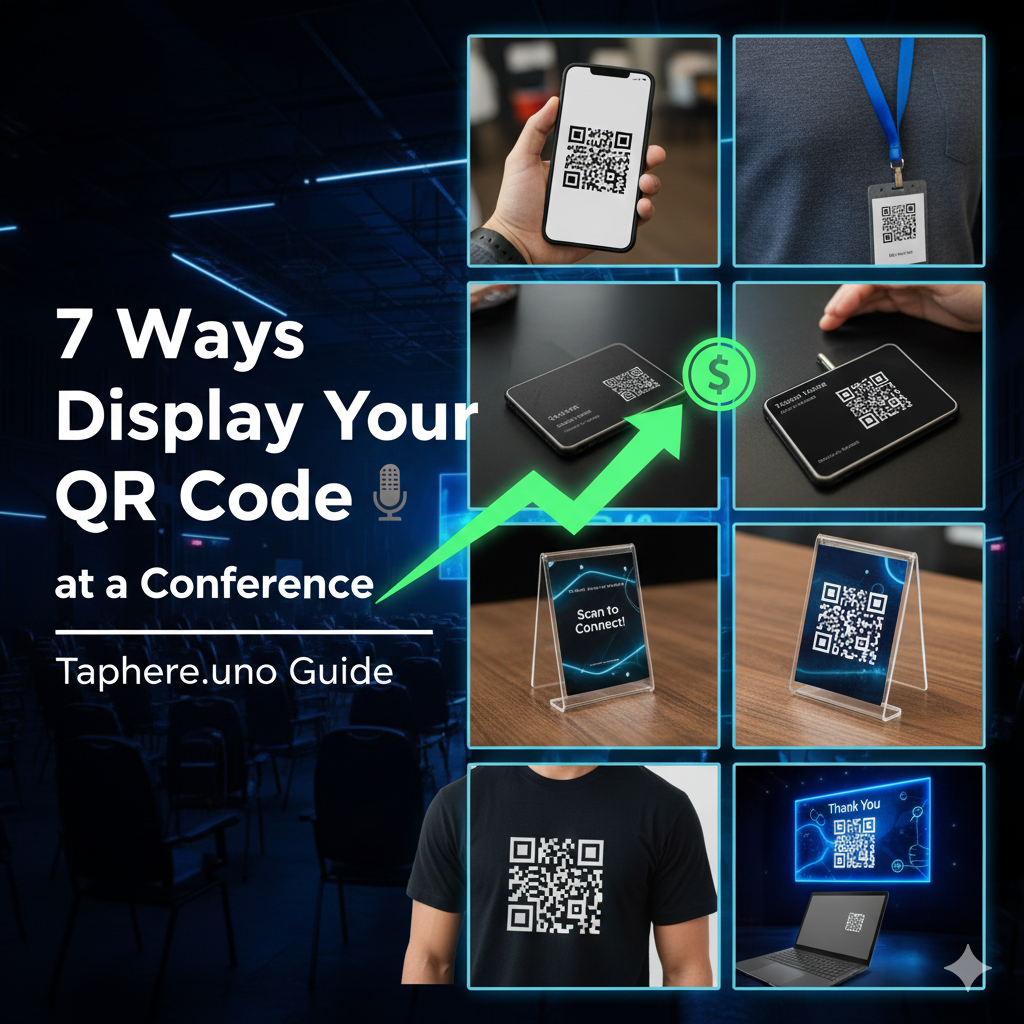
🎤 Stand Out in the Crowd: 7 Ways to Display Your QR Code at a Conference
Conferences are a whirlwind of handshakes, keynote speeches, and "Where did I put that business card?" moments. In 2026, the most successful networkers aren't carrying stacks of paper—they are carrying digital bridges.
A QR code is your most powerful tool at a trade show or summit, but its effectiveness depends entirely on how you display it. If people have to hunt for it, they won’t scan it.
Using a platform like taphere.uno, you can link your QR code to a dynamic profile that lets people save your contact info instantly. Here are 7 creative and high-converting ways to display your QR code at your next event. 🚀✨
1. The "Always-On" Smartphone Lock Screen 📱
This is the ultimate low-effort, high-reward move. Instead of fumbling with apps, you simply wake your phone, and your QR code is right there.
How to do it: Generate your QR code on taphere.uno, take a screenshot, and set it as your lock screen wallpaper.
Pro Tip: Use a design that places the QR code in the center so it doesn’t get cut off by notifications.
2. The Professional Lanyard Insert 🏷️
Most conferences give you a plastic badge holder. Use that prime real estate! Print a small card with your name and a large, high-contrast QR code and slide it into the back of your badge holder. When you're talking to someone, you can simply flip your badge over.
3. Printed on Your Physical Business Card 📇
Give them a physical card, but make the QR code the centerpiece. Most physical cards end up in the trash. If they scan your taphere.uno code first, your contact details are already safely inside their phone's address book.
4. The "Table-Top" Acrylic Stand 🖼️
If you have a booth or are sitting at a networking table, use a small 4x6 acrylic sign holder. This looks incredibly professional and allows people to "passive-network" with you even if you are currently in another conversation.
5. Apparel and Swag Integration 👕
Want to be a walking lead magnet? Put the code on your clothing. Custom T-shirts or even small enamel pins with a scannable code are massive conversation starters.
6. The Laptop Lid Sticker 💻
For tech conferences, your laptop is your biggest billboard. Place a high-quality QR code sticker on the top corner of your laptop lid. People sitting behind you in sessions can scan your info without interrupting your flow.
7. Digital Display & Presentation Slides 🖥️
If you are a speaker, your final slide should not just say "Thank You." It should feature a massive QR code linked to your taphere.uno profile.
🔍 People Also Ask
How do I show my QR code at a conference?
The most effective way is to have it in multiple places. Keep it as your phone lock screen for quick 1-on-1 chats, and print it on your conference badge or a table-top sign if you have a stationary spot. The key is visibility and lighting.
How do you display a QR code professionally?
To keep it professional, avoid "naked" QR codes. Always surround the code with your branding (logo and colors) and include a Call to Action (CTA) like "Scan to Connect." Using a high-quality acrylic stand or a professionally printed lanyard insert is much better than a crumpled piece of paper.
Where is the best place to put a QR code on a flyer?
Place the QR code in the bottom right or center of the flyer. Ensure there is plenty of "quiet zone" (white space) around it so phone cameras can focus easily. Never put it on a fold or a corner where it might get bent.
How do I show a QR code on my iPhone?
You can save your QR code as a photo in your "Favorites" album, or better yet, add your digital business card to your Apple Wallet. By double-clicking the side button, you can pull up your card and QR code in seconds without even unlocking your phone.
Can I just show a picture of a QR code?
Yes, but ensure the screen brightness is turned up. A dim screen or a photo with heavy glare will make it impossible for other phones to scan. For the best results, use a high-resolution PNG or SVG file.
The Bottom Line 🎯
Networking at a conference is about making lasting connections. By strategically displaying your QR code, you make it easy for people to remember you and even easier for them to follow up.


